
Steal an Anime Pack How to Unlock Characters
To unlock characters in Steal an Anime Pack, steal packs from the field or other players, merge them to improve your odds, and open the packs to add new anime units to your team.
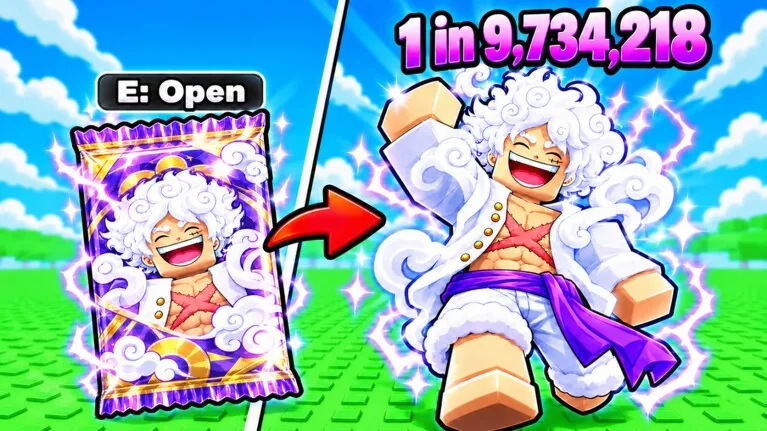
To unlock characters in Steal an Anime Pack, steal packs from the field or other players, merge them to improve your odds, and open the packs to add new anime units to your team.
The official Roblox game page created by the Anime Tuff Games group details that anime packs serve as the primary source for pulling new units. Once unlocked, your characters join your base lineup and generate cash continuously, including offline income while you are away from the server.
Obtaining and Opening Packs
Acquiring packs is the initial requirement before you can summon any anime unit. Players must actively gather packs across the arena while avoiding competitors.
- Locate packs on the map or target containers held by other competitors across the 5-player server.
- Approach other players quietly to sneak up and steal packs directly from them.
- Carry the stolen packs safely back to your base area without losing possession.
- Execute pack merging if you want to combine lower containers into upgraded packs.
- Open the final pack to reveal your new anime unit and automatically add it to your roster.
Opening packs awards units across multiple rarity tiers documented in the game badge index, starting above baseline rolls with Mythical and scaling up through Cosmic, Divine, Omniversal, and Eternal.
Character Unlock Methods Comparison
Selecting the right method to gather and process your packs determines how quickly your roster expands and how much currency you invest.
| Acquisition Method | Best Scenario | Cost or Tradeoff |
|---|---|---|
| Ground Pack Stealing | Starting out with zero currency or low stats | High risk of interception from rival players |
| Player Pack Theft | Catching distracted opponents holding high-value packs | Requires speed training to escape retaliation |
| Pack Merging | Targeting upper tiers before triggering an opening | Consumes multiple raw packs for a single roll |
| Store Luck Boosters | Targeting high-rarity badges like Cosmic or Eternal | Requires spending Robux in the experience shop |
Rarity Milestones and Unit Tiers
The developer tracks milestone character unlocks through official platform badges. Pulling high-tier units directly triggers these badge achievements in your account profile:
- First Mythical: Unlocked upon pulling your initial Mythical unit from an opened pack.
- First Cosmic: Granted when opening a Cosmic rarity character.
- FIRST DIVINE!: Awarded when you discover your first Divine unit.
- FIRST OMNIVERSAL?!!: Earned when obtaining an Omniversal pull.
- FIRST ETERNAL???!!!: Granted when unlocking the top-tier Eternal rarity unit.
Higher rarity units generate greater income rates, funding faster player upgrades and expanding your defensive capabilities inside your plot.
Speed and Boost Enhancements
Acquiring packs reliably requires mobility and luck management. The game features dedicated mechanics to improve both collection speed and pull outcomes:
- Speed Training: Running through physical training inside your base increases your base sprint speed, making it easier to outrun opponents while carrying stolen packs.
- Base Expansion: Spending your unit cash on base upgrades provides stronger facilities to store incoming packs securely.
- Official Luck Passes: The game store sells direct drop bonuses, including X2 LUCK! for 149 Robux and X4 LUCK! for 249 Robux, to improve roll odds when you reveal units.
- Currency and Growth Passes: The store also features X2 MONEY! for 199 Robux and X2 GROWTH! for 299 Robux, accelerating your economy so you can fund training cycles faster.
Maintaining a continuous cycle of running, stealing, merging, and opening ensures a steady progression toward assembling strongest characters available in the experience.
Next step
Jinwoo
Find out how to target Jinwoo in Steal an Anime Pack by merging packs, stealing from rival bases, and maximizing cash returns.